AutoHotkey v2 Power Utility

Type with Confidence. Never Lose Focus.

CaretFocus is a lightweight Windows utility that displays your IME status right next to your text cursor, switches input modes smartly with the Shift key, and keeps you in the flow with active line highlighting and zoom features.

CaretFocus Live Demo
IME: ON (あ)
Settings
ZOOM (F9)
...
123456

Click here and start typing in the simulator...

Notice how the indicator stays right next to your cursor.

Click the "ShiftLock" button (or single tap your Left Shift key) to start ShiftLock (S). Tap Shift again or wait 3 seconds to release. Double-tap Ctrl to pause/resume the tool.

Try clicking the "Row Highlight" button to focus on the active row!

Use the settings panel on the left to customize the indicator instantly.

Core Values

Three key values provided by CaretFocus.

🎯

Never Lose Cursor Focus

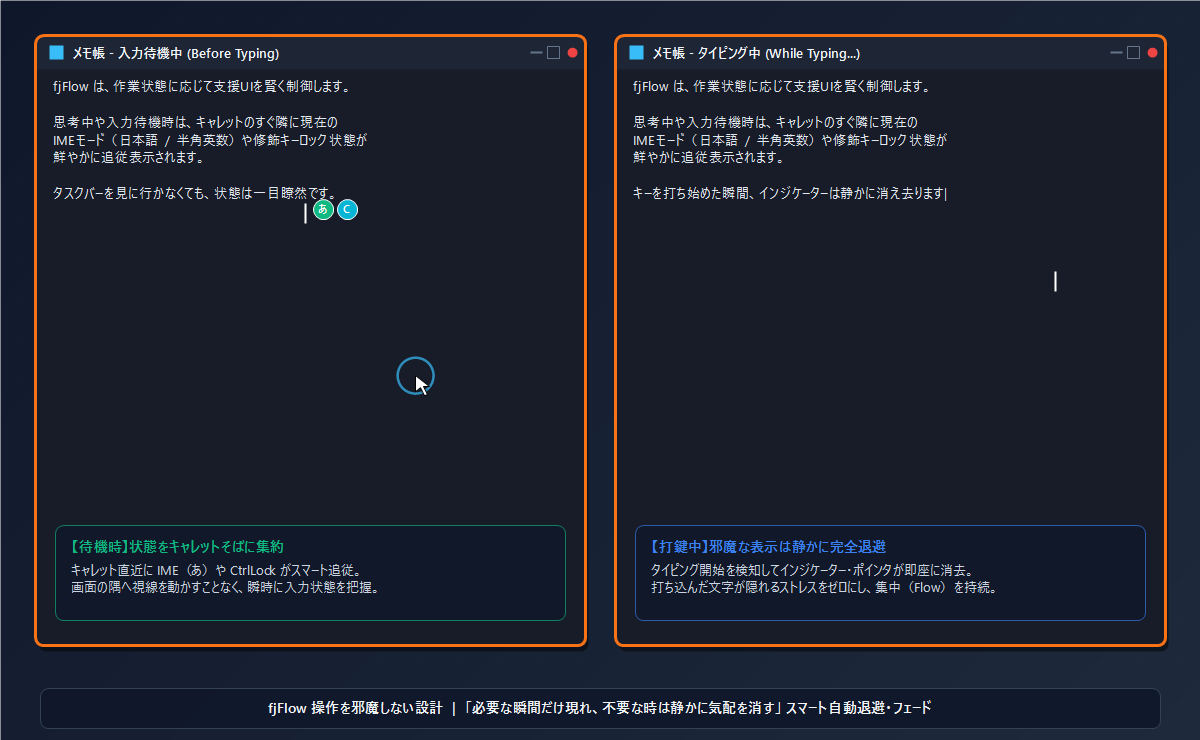
The status follows your text cursor so you don't have to look at the taskbar. Avoid typing in the wrong mode.

Relieve Pinky Finger Strain

Tap Shift once to lock/unlock. Eliminates the need to hold down the Shift key for uppercase letters.

👁️

Stay Focused on a Single Line

Dim the rest of the screen to highlight the active line. Focus entirely on writing and coding.

Accessibility & Productivity

Optimize Accessibility with Zoom & Highlight

Struggling with small fonts or keeping track of long lines? CaretFocus combines a stabilized loupe and high-contrast row masking to assist developers, writers, and individuals with visual impairments.

Loved by Creators, Coders & Writers

Discover how professionals use CaretFocus to enhance their daily workflow.

Boosting Accessibility with Zoom and Row Highlight

Visual assistance and row-masking benefits for seniors, low-vision users, and writers with ADHD to maintain extreme focus.

Read More

Eliminate Input Mode Errors During Coding

For programmers and software developers. Zero out full-width syntax errors and typos during typing to maximize your coding speed.

Read More

Smart ShiftLock Function on US Keyboard Layouts

How to use the Shift key for rational and extremely comfortable uppercase input control on English keyboard layouts, eliminating pinky strain.

Read More

Use Cases

Comfort in various writing and coding scenarios

💻

Prevent Full-Width Errors in Coding

Avoid syntax errors from accidental full-width input. Instantly recognize active layout right at the cursor.

⌨️

Protect Pinky on Constants Input

Tap Shift key to toggle shift lock instead of holding it down. Reduces strain on your pinky finger.

📝

Proofread Long Text Documents

Highlight current line to prevent skipping rows. Easily check layout and spelling.

🔍

Assist Visual Impairment & Eye Strain

Magnify the area around the text cursor at the screen edge. Type comfortably without leaning forward.

News & Updates

Stay updated with the latest releases, tips, and configuration guides.

Security & Trust

CaretFocus operates safely and privately

Fully Offline Architecture

No external network connection is made. Keys typed or setting parameters are never sent to external servers.

Local Configuration Storage

All configurations are stored in CaretFocus.ini locally. No cloud sync or telemetry tracking is performed.

Requirements & Constraints

System requirements and application limits

System Requirements

Supports Windows OS (including multi-monitor setups). Requires AutoHotkey v2 installed on your PC.

Known Constraints & Fixes

UAC limits apply on administrator-run apps. Run CaretFocus as admin to work around. Simulates keys on Firefox/Google Docs to trace cursor.

Revolutionize your typing experience

Free, open source, and lightweight.

[Download] Free Download on GitHub