Space Shift
Space Shift (SS) utilizes the Space key as a modifier to trigger navigation, editing, and layout layers without moving y...
Space Shift
Space Shift (SS) utilizes the Space key as a modifier to trigger navigation, editing, and layout layers without moving your hands from the home position.
Behavior & Trigger Conditions
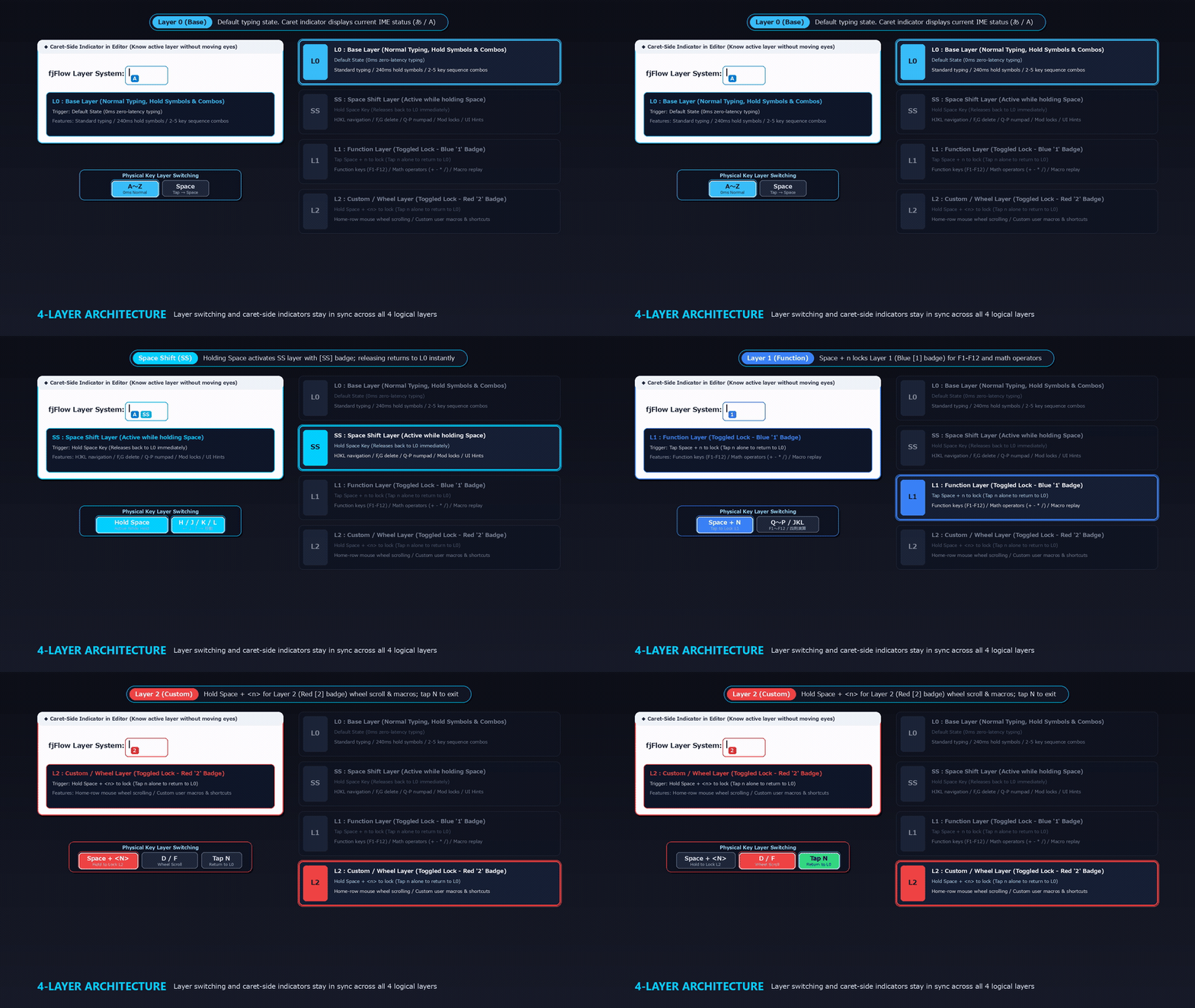 Figure: Holding
 Space activates the Space Shift (SS) layer and syncs the caret-side badge in real time, returning to L0 immediately upon release.
- Long Press to Trigger:
- Hold down the
Spacekey (default:300msor longer) and tap another key to trigger Space Shift layer mappings. - The caret indicator displays
SSwhile the layer is active.
- Hold down the
- Short Press for Space Output:
- Tap and release the
Spacekey quickly (without combining with other keys) to output a single standard space character (
- Tap and release the
Continuous Space Output Mode
To balance standard typing speed with modifier triggers, FJ Flow features a smart continuous space detection logic:
- Double-Tap for Repeat Output:
- If you tap
Spaceand immediately press and hold it again, the utility bypasses the long-press modifier trigger. - Instead, it handles it as a standard space repeat operation, sending consecutive spaces using the OS’s native key repeat rate.
- If you tap
- Smooth Typing Flow:
- This design allows you to input multiple spaces or indent code blocks smoothly, preserving native typing ergonomics.
Conflict Resolution
To prevent desynchronization between physical keystrokes and OS input states (such as during macro playbacks), the utility handles logical state recovery automatically. For example, during macro playbacks, if the physical Space key is held, the utility temporarily sends a logical Space Up command to prevent space character insertion, restoring the Space Down state once playback completes.